Posts

Showing posts with the label Microsoft Power Platform Power Automate PowerApps Power BI

Boost Productivity in Business Process Using Power Automate

Image
For organisations looking for to streamline their operations via automation, engaging in a radical analysis of workflows, deconstructing procedures into character steps, organising clean commercial enterprise targets, and substantially choosing the appropriate automation software program is vital. Given the superiority of repetitive tasks across multiple departments, workflow automation may be successfully applied in diverse enterprise capabilities, encompassing human resources, finance, accounting, and procurement. Microsoft's Power Automate, an fundamental element of the Power Platform suite, which encompasses enterprise intelligence and performance-centered solutions, gives an advanced tool tailor-made for this motive. What is Microsoft Power Automate? Microsoft Power Automate service empowers organizations to automate repetitive tasks, increasing productivity. It offers cloud, desktop, and business process flows. It can automate email categorization and attachment uploads...
5 Effective Ways to Avoid Common Invoice Processing Issues

To maintain the smooth operation of their business, every business owner hopes for timely payments. Most businesses consider invoicing to be a simple process: create an invoice and get paid. Unfortunately, this isn't always the case. Every type of organization has to deal with invoice issues on a regular basis. To avoid client misunderstanding and payment delays, it's important to avoid invoicing errors.  Here’s a list of various invoicing mistakes, and solutions to overcome them: 1. Missing Customer Invoices Finding missing invoices is one of the most frustrating parts of invoicing. This is a common scenario in the Accounts Payable department: a vendor calls to inquire about payment status, and when you investigate the issue, you discover that the invoice in hand was never properly registered in the system. This may result in the payment of duplicate invoices. Solution: Find out why vendor invoices aren't making it to the accounts department to help reduce the amount of mi...

Veelead Launching Microsoft Power BI Online Services

  What is Microsoft Power BI? Microsoft Power BI is a business intelligence platform that provides tools for aggregating, analyzing, displaying, and sharing data to nontechnical business users. For users who are familiar with Excel, Power BI's user interface is pretty intuitive, and its strong connectivity with other Microsoft products makes it an extremely adaptable self-service tool with little upfront training. Why Microsoft Power BI? Microsoft Power BI is used to uncover insights from a company's data. Power BI can help you combine different data sources, transform and clean the data into a data model, and visualize the data using charts and graphs. All of this information may be shared with other Power BI users in the company. The ability to run reports and surface insights based on a company's data is a significant benefit of Microsoft Power BI. Power BI can connect to a variety of data sources and "tidies up" the information it receives so that it may be mo...

What are the Different Types of Flows in Microsoft Power Automate?

Image
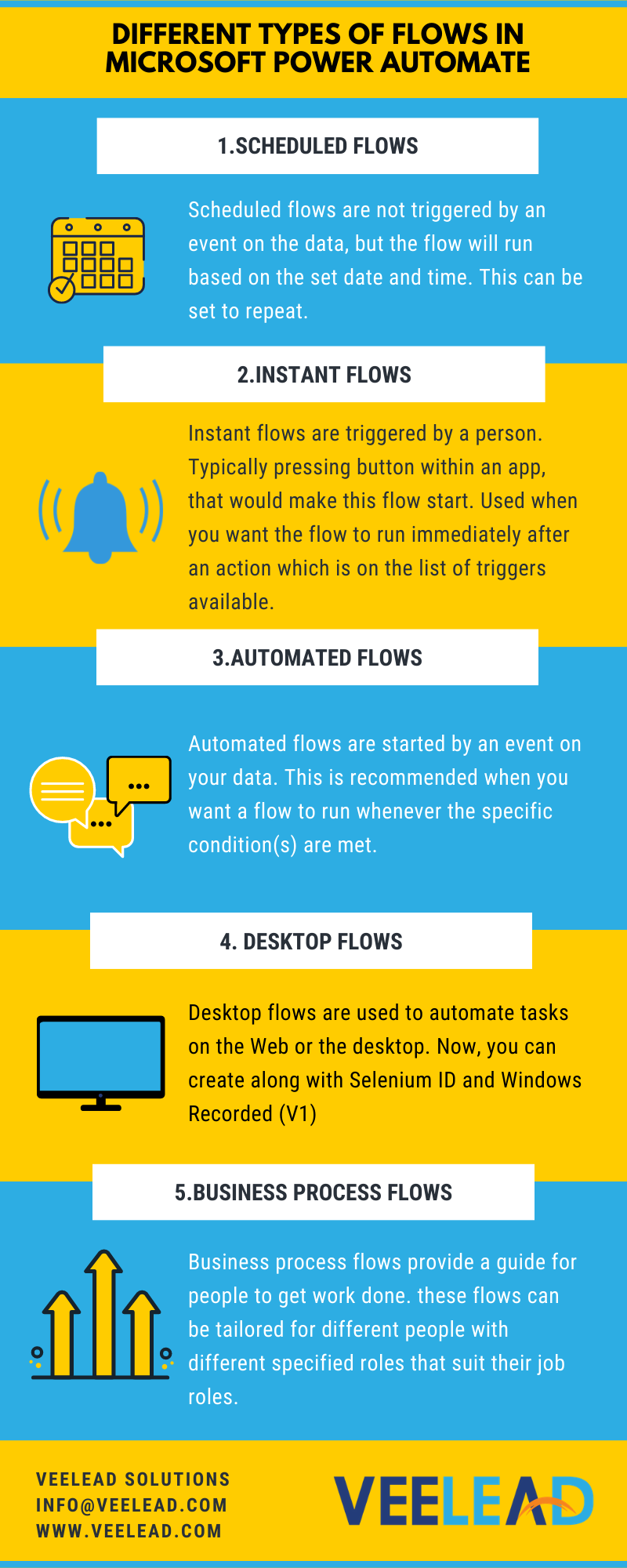
Microsoft Power Automate: Microsoft Power Automate (earlier called as Microsoft Flow) is an centralized hub for automating business workflows on an enormous scale. The platform provides the features that leverage your favorite apps and services. Microsoft 365 has a wide range of business apps that are essential for effective office operations and thousands of organizations. Users can connect Microsoft 365 apps to each other or to a large library of other apps, but in the cloud and on-premises environments. Power Automation can be quickly and easily created, with the basic understanding of Office 365 anyone can create basic automation to make day-to-day business life easier. Microsoft provides pre-built automation templates called "Flows" that cover the most popular uses for Power Automate .   Different Types of Flows in Microsoft Power Automate: Hope you have noticed that some flows start immediately, where other flows seem to take a while before they get started. This is bec...

What Is Microsoft Power Platform and How It Can Be Used for Business?

Image
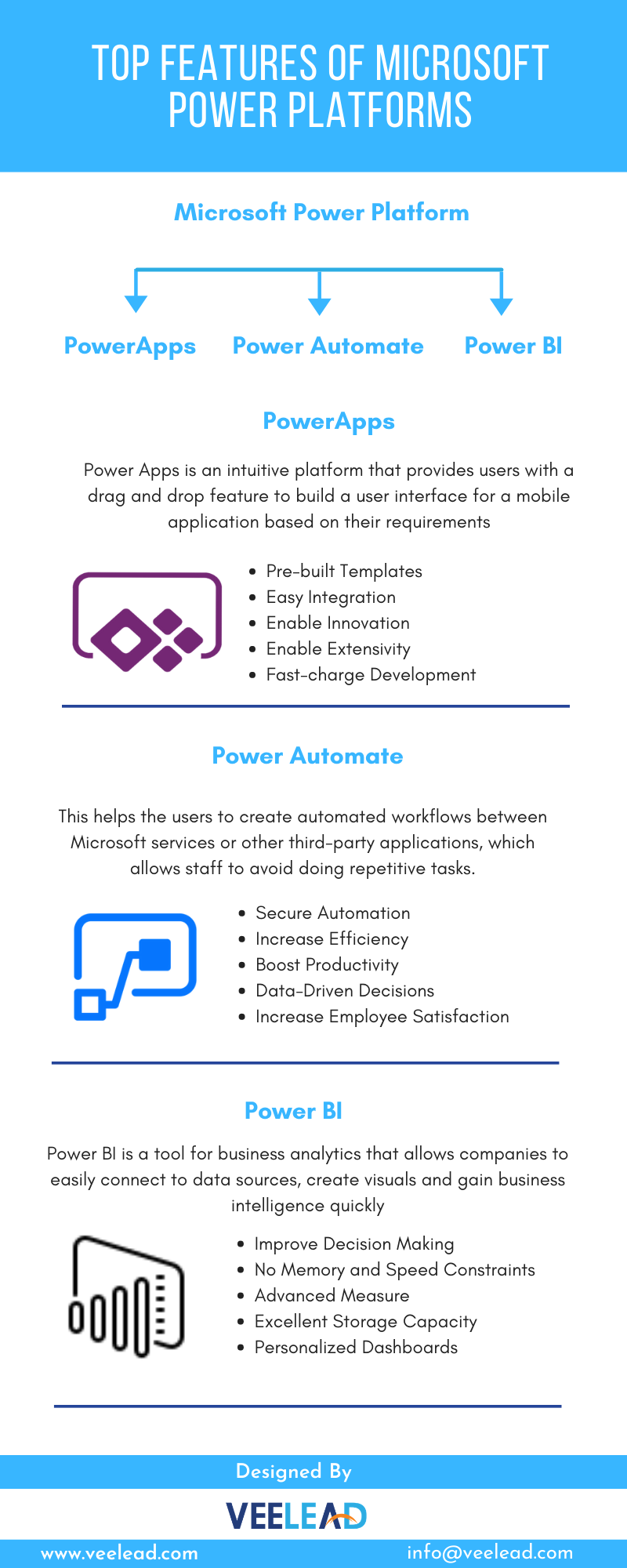
Microsoft Power Platform The ‘Power Platform’ is a collective term that includes three Microsoft products: Power BI, PowerApps and Power Automate (earlier known as Flow). This helps people easily manipulate, surface, automate and analyze data and can be used with Office 365, Dynamics 365 and also other third-party apps and other Microsoft services . The Power Platform is possible thanks to the Common Data Service which is essentially the underlying data platform that provides a unified and simplified data schema to inter-operate applications and services. At present, companies are extremely reliant on data and the amount of data that they are creating is continually increasing. While all this data is inevitable, it is useless unless companies gain insights and meaning from it. Earlier, data analysis, app creation and automation would be done by IT or Development teams. This requires staff to outline their requirements and objectives, submit these requests to their IT department and the...